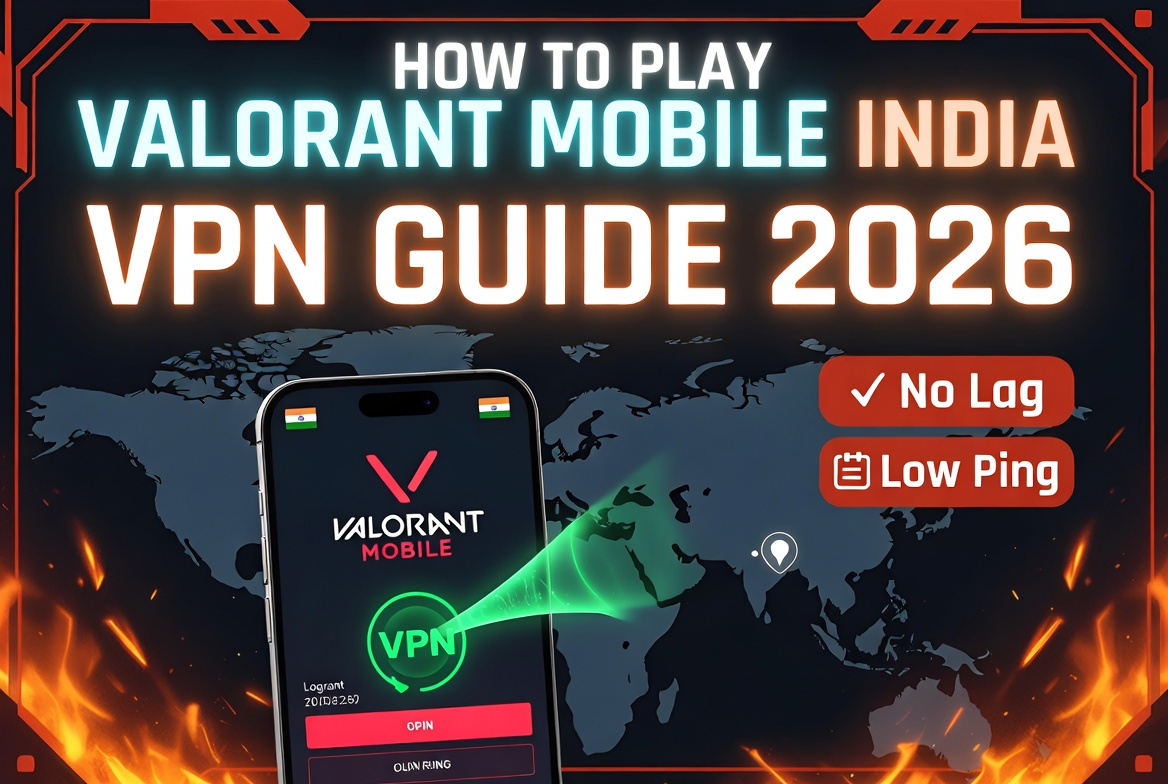
Bottom line up front: Valorant Mobile is officially live in China only. Indian players can access it right now by connecting a VPN to a Hong Kong or Singapore server, downloading the APK from TapTap (Android) or changing their App Store region to China (iOS), and logging in with a QQ or WeChat account. Expect 100–140ms ping from most Indian cities — playable for casual matches, not ideal for ranked.
Summary
| What you need | Details |
|---|---|
| VPN server to connect | Hong Kong or Singapore (lowest ping from India) |
| Estimated ping from India | 100–140ms (Jio/Airtel on 4G/5G) |
| Download method (Android) | TapTap app or direct APK |
| Download method (iOS) | App Store region change to China (Mainland) |
| Login required | QQ or WeChat account (Chinese phone NOT mandatory — see below) |
| Game size | ~6–8GB after in-game resource download |
| VPN cost | Free options available; paid starts at ₹100–₹400/month |
| Progress carry to global launch | No — account reset expected {{VERIFY: Check Riot’s official FAQ at support-valorant.riotgames.com when global launch is announced}} |
| Vanguard ban risk for VPN use | Low — Riot does not ban VPN users; ban risk is from cheating, not routing |
Is It Legal and Safe to Use a VPN for Valorant Mobile in India?
Using a VPN in India is legal. The Indian government has not banned consumer VPN use (though some providers have removed Indian servers due to CERT-In data retention rules). Riot Games does not mention VPN use in Valorant’s Terms of Service, and they do not issue bans for VPN routing alone. The ban risk only applies if you use a VPN to exploit region-specific pricing, harass players, or run cheat tools — none of which apply to simply accessing the China servers from India.
What you do lose: any VP (Valorant Points) purchased on the China account will not transfer to your eventual Indian account when the global server goes live. Treat your China VPN account as a trial run, not your main account.
Not for you if: You are under 18, as WeChat/QQ account creation may require age verification. Or if you are on a data plan under 5GB/month — each Valorant Mobile match uses approximately 40–60MB, adding up fast on limited plans.
Step 1: Choose the Right VPN Server
This is the step most guides get wrong. Choosing the wrong VPN server is the single biggest reason Indian players see 200ms+ ping and blame the VPN entirely.
From India, the Valorant Mobile China servers are hosted across Tianjin, Nanjing, Chongqing, and Guangzhou. The two VPN exit nodes that produce the lowest round-trip time from India are:
| VPN Exit Node | Estimated Ping (Jio 5G) | Estimated Ping (Airtel 4G) | Verdict |
|---|---|---|---|
| Hong Kong | 100–120ms | 110–130ms | Best overall — lowest latency from South Asia |
| Singapore | 110–135ms | 120–145ms | Good second option if HK servers are congested |
| Japan (Tokyo) | 140–170ms | 150–180ms | Acceptable fallback; higher spike risk |
| US/Europe | 220ms+ | 230ms+ | Avoid — unplayable latency |
Rule of thumb: If your VPN shows more than two server locations, always connect to Hong Kong first. If ping stays above 150ms after 60 seconds, switch to Singapore.
Step 2: Pick a VPN (Free vs Paid Options)
Paid VPNs (Recommended for Stability)
| VPN | India Price | HK/SG Servers | Mobile App | Free Trial? |
|---|---|---|---|---|
| NordVPN | ~₹285/month (2-yr plan) {{VERIFY: Check nordvpn.com/pricing for current INR rates}} | Yes — both | Android + iOS | 7-day Android trial |
| Surfshark | ~₹170/month (2-yr plan) {{VERIFY: surfshark.com/pricing}} | Yes — both | Android + iOS | 30-day money-back |
| ExpressVPN | ~₹650/month (1-yr plan) {{VERIFY: expressvpn.com}} | Yes — both | Android + iOS | 30-day money-back |
| Proton VPN | Free tier available; Plus ~₹900/month {{VERIFY: protonvpn.com}} | Plus tier only | Android + iOS | Free tier (1 server, speed-limited) |
For most Indian players, Surfshark is the sweet spot: budget-friendly, has Hong Kong servers, and the mobile app is lightweight enough not to slow your phone while gaming.
Free VPN Options (and Their Limits)
Proton VPN’s free tier is the only genuinely trustworthy free option for gaming. It routes through servers in the Netherlands, which will push your ping to 250ms+ — fine for exploring the game, unplayable for competitive modes. Windscribe offers 10GB/month free with Hong Kong server access on their paid tier — not free, but affordable at roughly ₹120/month.
Avoid any “free VPN” app from the Play Store that doesn’t have a well-known name. Several of these log your traffic and have been flagged for data harvesting.
Step 3: Download Valorant Mobile
For Android
The China version of Valorant Mobile is not on the global Google Play Store. Use one of two methods:
Method A — TapTap (Easiest)
- Download the TapTap app from taptap.io (not the Play Store version — use the APK from their official website).
- Search “VALORANT Mobile” inside TapTap.
- Tap Download. TapTap handles the APK install and in-game resource download automatically.
- Make sure you have at least 10GB of free storage before starting — the installer is ~2GB but expands to 6–8GB after resources download.
Method B — Direct APK
- Connect your VPN to a Hong Kong server first.
- Find the APK on APKPure or APKCombo — search “Valorant Mobile CN”.
- Enable “Install from unknown sources” in your Android settings (Settings → Security → Unknown Sources).
- Install the APK, then open the game to trigger the in-game resource download (~4GB additional).
Method A is recommended because TapTap auto-updates the game. APKs from third-party sites go stale quickly.
For iOS
- Open the App Store and tap your profile icon (top right).
- Scroll to “Country/Region” → tap “Change Country or Region.”
- Select China Mainland.
- You’ll need to enter a billing address. Use any Chinese address format — even a hotel address in Shanghai is accepted.
- Payment: choose “None” if prompted. You can browse the China App Store for free apps without a Chinese payment method.
- Search for “无畏契约” (the Chinese name for Valorant Mobile) or “VALORANT Mobile.”
- Download and install.
Important: After download, you can switch your App Store region back to India. The game will stay installed and update normally.
Step 4: Set Up a QQ or WeChat Account (Without a Chinese Phone Number)
This is where most guides leave you hanging. Both QQ and WeChat require phone verification. A Chinese number is NOT mandatory — here is what actually works.
Option 1 — Email registration on QQ (PC first)
QQ’s desktop client on Windows/Mac allows registration via email address without a phone number. Steps:
- Go to im.qq.com on a PC (connect VPN to HK first).
- Click “Register QQ” → choose email registration.
- Complete CAPTCHA and verify your email.
- Log into the Valorant Mobile game using your QQ credentials.
This method works reliably as of early 2026.
Option 2 — Buy a verified QQ account
Several Indian gaming communities on Discord and Telegram sell pre-verified QQ accounts for ₹150–₹350. This is faster but carries the risk that the original owner can reclaim the account. Use this only if you need quick access and understand the risk.
Option 3 — WeChat international registration
WeChat allows international users to register with a non-Chinese number. You’ll need a friend with an existing WeChat account to scan a QR code to verify your new account. Once verified, use this WeChat login in Valorant Mobile.
Step 5: Launch and Configure Valorant Mobile
Once logged in, keep these settings in mind for the best experience at 100–140ms ping:
- Graphics: Set to “Smooth” or “Balanced” — not “HDR.” High-quality rendering at high latency compounds input lag.
- Frame rate: 60 FPS is more stable than 90 FPS when ping is elevated.
- HUD sensitivity: Lower your joystick sensitivity slightly compared to what you’d use at 30ms. At 130ms, slight overaim is common — a slower base sensitivity gives you more time to correct.
- Language: The game defaults to Simplified Chinese. You cannot change the language on the China version. Use Google Translate’s camera mode on any menu you can’t read.
Make sure your VPN stays connected throughout the match. If the VPN drops, you’ll get kicked from the game session. Most good VPN apps have an auto-reconnect setting — enable it.
What Happens to Your Progress When Valorant Mobile Launches in India?
This is the most important question, and the honest answer is: your China VPN account will not carry over.
Valorant Mobile China accounts are tied to Tencent’s servers and login systems (QQ/WeChat). The Indian global server will run on Riot’s own infrastructure (or a separate entity, similar to BGMI’s setup). Account transfer between regions has not been confirmed by Riot for any market.
What you will lose:
- Rank and MMR
- Any VP spent on the China account
- Agent unlocks and progression
What you keep:
- Game mechanics knowledge — your muscle memory for aiming, map callouts, and agent abilities transfers perfectly
- You will enter the Indian server ahead of players who waited, because you’ll have actual match experience
Think of the VPN period as paid practice time, not a permanent account investment.
Ping at 130ms — Is Valorant Mobile Actually Playable?
For casual modes (Deathmatch, Spike Rush, Unranked), yes — 130ms is playable. You will notice a slight delay when peeking corners, and your shots will occasionally feel like they registered but didn’t count. This is normal at this latency.
For Competitive/Ranked on the China server, it’s a disadvantage. Chinese players on local servers run 10–30ms. At 130ms, you lose roughly 100ms of reaction time advantage on every duel. You will lose fights you would otherwise win.
The honest advice: use the VPN access to learn agents, maps, and game modes. Don’t stress rank on the China server. Save your competitive focus for the Indian servers when they launch.
Not for You If…
This guide does not apply if:
- You are on a strict data plan under 5GB/month (each match uses ~40–60MB, daily sessions will drain your allowance quickly)
- You use an iOS device without access to a Mac or Windows PC (changing App Store region on iOS-only is harder)
- Your phone has less than 4GB RAM (Valorant Mobile will not install)
- Your internet speed is below 5 Mbps (packet loss at low speeds makes VPN gaming unstable)
If any of these apply, the better option is to wait for the official Indian server, expected in the second quarter of 2026.
Frequently Asked Questions
Will Riot ban my account for using a VPN to play Valorant Mobile?
No. Riot Games does not ban accounts for VPN use. Their Terms of Service do not prohibit VPN routing, and their Vanguard anti-cheat system targets cheating software and aim hacks, not VPN tunnels. Hundreds of international players have been using VPNs to access the China server since August 2025 without bans.
What is the minimum internet speed needed to play Valorant Mobile via VPN from India?
A stable connection of 10 Mbps or above is recommended. The game itself uses low bandwidth (~40–60MB per match), but the VPN encryption overhead and routing through Hong Kong/Singapore adds 15–20% to your effective bandwidth requirement. More important than speed is stability — a 20 Mbps connection with high jitter will perform worse than a 10 Mbps connection with consistent routing.
Can I play Valorant Mobile on my phone’s mobile data with a VPN in India?
Yes, but Jio and Airtel 4G/5G both work. Jio’s 5G (where available) consistently delivers lower ping to HK servers than Airtel 4G. BSNL and Vi connections tend to have more routing inconsistency and are not recommended for VPN gaming. Keep your Wi-Fi option open for ranked sessions.
Will Valorant Mobile have Indian servers when it launches globally?
Yes, almost certainly. Riot Games already has dedicated Valorant PC servers in Mumbai, and those servers run at 8–10ms for Indian players. The mobile version is expected to use the same infrastructure, giving Indian players significantly better conditions than the current VPN workaround.
Is TapTap safe to use?
TapTap (taptap.io) is a legitimate global game distribution platform with over 60 million users. It is not affiliated with any known malware distribution. That said, always download from taptap.io directly — the Play Store version of TapTap is a different, less updated app.