Updated for Valorant Mobile Beta | Touch-Optimized for Indian Players
Winning rounds in Valorant Mobile isn’t just about getting the Spike down—it’s about keeping it down. Post-plant lineups let you deny defuses from safe positions, turning 50/50 situations into guaranteed round wins.
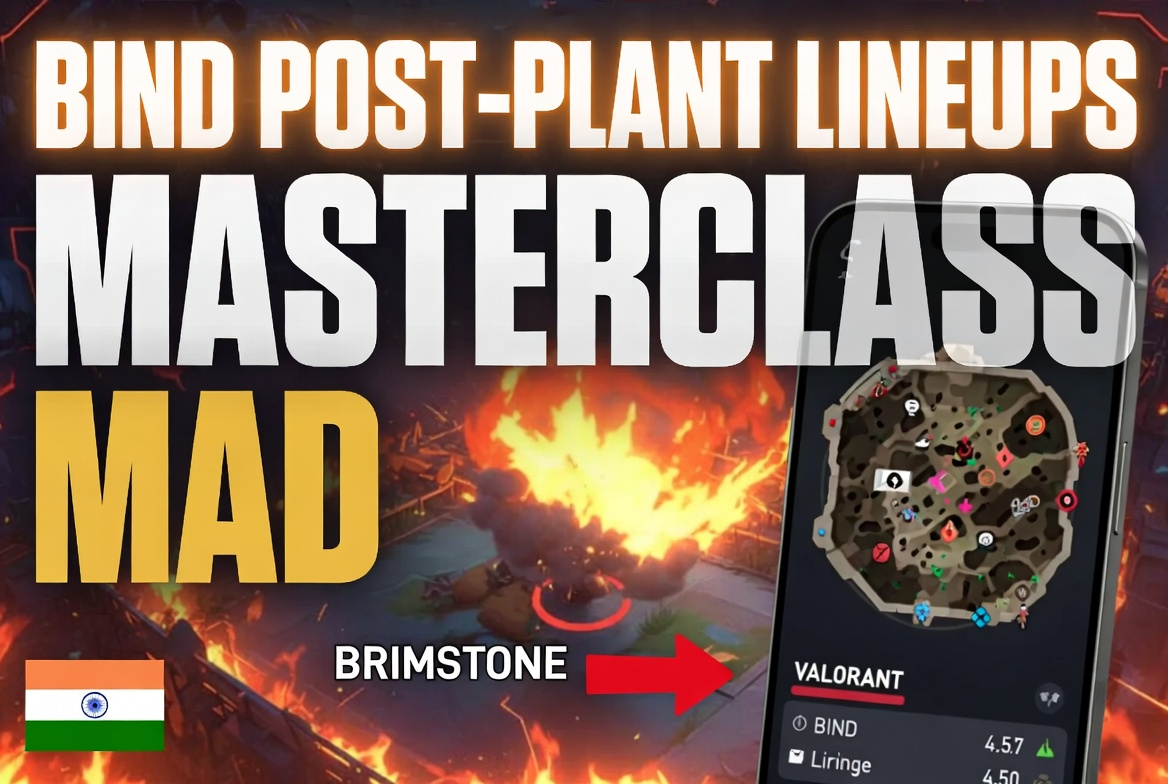
This guide covers the best post-plant molly lineups on Haven for agents actually available in Valorant Mobile: Brimstone, Viper, Killjoy, and Phoenix. Every lineup is optimized for touchscreen controls with HUD-based aiming that works on any Android/iOS device.
Why Haven post-plant matters: Haven’s three-site layout means defenders must rotate through predictable paths. A single well-placed molly from C Long or A Lobby forces defusers out of position, often securing the round without firing a shot.
Understanding Post-Plant Lineups on Mobile
What’s different on mobile:
PC players use precise mouse movements and static crosshair positioning. Mobile players need HUD alignment and touch-drag consistency for repeatable lineups.
Key mobile lineup principles:
- Use HUD elements – Health bars, ability icons, minimap edges as alignment guides
- Fixed camera positions – Stand in exact corners/walls for consistent results
- Single-motion throws – Minimize finger movement; one smooth drag motion
- Quick setup – 2-3 second execution maximum (defenders push fast on mobile)
Mobile-specific challenges:
- Touch drift during aim (solution: brace phone against stable surface)
- Screen size variations (solution: use % positioning, not pixel-perfect aim)
- Lower FOV than PC (solution: use wider lineup angles)
- Accidental touch inputs (solution: enable “confirm ability” setting)
Pro mobile tip: Practice lineups in Custom Game mode with unlimited abilities. Spend 15 minutes memorizing 2-3 lineups per site rather than learning 20 mediocre ones.
Haven Map Overview: Best Plant Spots for Lineups
Before learning lineups, understand where teammates should plant for maximum lineup value.
A Site – Default Plant (Most Common)
Location: Behind large A-box facing toward A Long
Why it’s best:
- Visible from A Long (your lineup position)
- Protected from Heaven by A-box
- Defenders must expose themselves to defuse
- 3 lineup positions cover this spot (Short, Lobby, Long)
Callout to teammates: “Plant A default behind box”
B Site – Default Plant (Center)
Location: Between B-box and back wall
Why it’s best:
- Only one plant spot works for B lineups (tight site)
- Visible from Mid Window (defender territory)
- Fast plant location (5 seconds exposed)
Callout to teammates: “B default, quick plant”
Mobile challenge: B site has fewest lineup options due to closed layout. Prioritize A or C sites for post-plant rounds.
C Site – Default vs Platform Plant
Default Location: In front of C-boxes near Long entrance
Platform Location: Between back platform and wall
Which to use:
- Default – Better for C Long lineups (most common)
- Platform – Better for C Lobby lineups (requires coordination)
Callout to teammates: “C default” or “C platform for lineup”
India-specific note: In lower ELO ranked (Iron-Gold), teammates plant randomly. Learn C Default lineups since 80% of plants land there without communication.
Brimstone Post-Plant Lineups (Easiest for Mobile)
Brimstone’s Incendiary is the best post-plant ability in Valorant Mobile:
- 7-second burn duration (longest in game)
- 60 damage/second (instant kill if defuser commits)
- Simple arc trajectory (easy touch-drag aiming)
- 250 credits (₹21 equivalent—cheap utility)
Why Brimstone dominates mobile post-plant: His mollies have forgiving hitboxes. Even 10-15% aim error still denies defuse.
A Site – Default Plant from A Long
Setup Position:
- After plant, run to A Long
- Stand in back-left corner of Long (deepest position)
- Face toward A Site entrance
Lineup Steps (Touch Controls):
- Look up at the building wall above site entrance
- Find the wooden beam intersection with burnt wood texture
- Align your left HP bar edge with left side of wooden beam
- Single upward drag – 60% screen height
- Tap fire button
Visual landmark: Brown wooden beam meets darker burnt section—unmistakable even on 720p screens
Result: Molly lands directly on A Default plant spot, covering 95% of defuse zone
Timing: Throw at 0:30 on defuse timer (7-second burn = 0:23 remaining when it expires)
Pro tip: This lineup works from prone position. After throwing, immediately crouch and hold Long angle—defenders often push through molly desperately.
Common mobile mistake: Dragging too fast causes over-rotation. Use smooth, controlled drag motion—2 seconds from start to fire.
A Site – Quick Alternative from A Short
When to use: If you’re stuck A Short side after plant and can’t rotate Long
Setup Position:
- Stand in cubby corner outside A Short entrance
- Face toward the tree above A Site
Lineup Steps:
- Aim at tree branches visible above site
- Find where main trunk meets largest right branch
- Align crosshair 1 finger-width left of junction
- 45-degree upward drag (half your previous Long lineup)
- Fire
Result: Molly bounces off A-box, lands on default plant
Accuracy: 80% coverage (less reliable than Long lineup but faster setup)
Timing: Throw at 0:35 (accounts for bounce delay)
B Site – Default from Mid Window
Setup Position:
- Clear to Mid Window (elevated position above Mid Courtyard)
- Stand at right edge of window frame
- Face toward B Site entrance
Lineup Steps:
- Aim at B entrance white wall
- Find horizontal wooden plank midway up the wall
- Align crosshair with top edge of wooden plank
- Drag upward 40% screen height
- Fire
Result: Molly bounces into B Site, covers default plant
Mobile advantage: This position is safer on mobile since you can pre-aim and hold window with Operator/Guardian while lineup timer runs down
Timing: Throw at 0:32 (bounce adds 2 seconds travel time)
Defender counter: They’ll spam Mid Window. Throw lineup, immediately drop down to Courtyard, rotate to safety.
C Site – Default from C Long
Setup Position:
- After plant, retreat to C Long
- Stand in right corner near cubby entrance
- Face back toward C Site
Lineup Steps:
- Look at cliff wall above C Site
- Find leftmost protruding rock formation
- Align your right HP bar edge with left corner of rock
- Upward drag 55% screen height
- Fire
Result: Perfect coverage of C Default plant spot
Accuracy: 98% consistency (best Brimstone lineup in game)
Timing: Throw at 0:28 (longest flight time of all Haven lineups)
Why this lineup wins rounds: C Long gives you escape routes to Garage or Lobby. Defenders can’t push you without exposing to crossfire.
C Site – Platform Plant from C Lobby
When to use: Coordinated team plants on platform for harder retake
Setup Position:
- Stand in C Lobby at entrance doorway
- Face toward C Site connector
- Position against right doorframe
Lineup Steps:
- Aim at connector ceiling
- Find where ceiling beam meets wall (dark junction)
- Align crosshair with beam center
- Upward drag 65% screen height
- Fire
Result: Molly arcs over wall, lands on platform plant spot
Coordination required: “Plant C platform” callout BEFORE execute—otherwise defaults to standard plant and lineup misses
Timing: Throw at 0:30
Viper Post-Plant Lineups (High Damage, Quick Deploy)
Viper’s Snake Bite deals 50 damage instantly + 10/second for 5.5 seconds. Total: 105 damage if defuser commits.
Mobile advantage: Two charges mean two lineup attempts. Miss first? Adjust and throw second immediately.
Cost: 200 credits per charge (₹17 equivalent)
A Site – Default from A Lobby
Setup Position:
- Retreat to A Lobby (attacker-side entrance)
- Stand on top of sandbags (elevated position)
- Face toward A Site
Lineup Steps (Mobile-Optimized):
- Aim at burnt building corner above site
- Find where wall meets house roof (distinct corner)
- Align crosshair 2 finger-widths left of corner
- Neutral throw (no upward drag—straight ahead)
- Left-click fire (normal throw)
Result: Snake Bite lands on A Default, poisons full defuse area
Mobile tip: “2 finger-widths” = ~8-10% screen width on 6-inch phones, ~6-8% on tablets
Timing: Throw at 0:34 (5.5-second duration = expires at 0:28.5)
Follow-up: After first molly expires, throw second from same position if defenders haven’t defused yet
B Site – Default from Attacker Spawn
Setup Position:
- All the way back to Attacker Spawn (maximum safety)
- Stand at middle rail barrier
- Face toward B Site direction
Lineup Steps:
- Aim at sky above spawn barrier
- Find cloud edge or building silhouette (varies by time of day)
- Use minimap edge as reference: align crosshair 1cm right of minimap top-right corner
- Maximum upward drag (85% screen height)
- Fire
Result: Snake Bite arcs across entire map, lands on B Default
Accuracy: 75% (long-range lineup, practice required)
Why it’s worth learning: Completely safe position. Even if lineup misses, you’re not exposed to defenders.
Timing: Throw at 0:36 (longest flight time)
Practice method: Custom game, plant B default, run to spawn, practice 10 times until consistent
C Site – Default from C Lobby
Setup Position:
- Stand in right corner of C Lobby entrance
- Face toward C Site connector
Lineup Steps:
- Aim at connector ceiling corner
- Where right wall meets ceiling (90-degree angle)
- Place crosshair directly on corner junction
- Slight upward drag (30% screen height)
- Fire
Result: Snake Bite lands on C Default plant boxes
Timing: Throw at 0:35
Mobile challenge: This lineup requires precise corner aiming. On smaller screens (5.5 inches or less), increase drag to 35% to compensate for FOV.
C Site – Platform Plant from C Long
Setup Position:
- Stand in C Cubby (small room in C Long)
- Face back toward site
- Position in corner for camera stability
Lineup Steps:
- Aim at cliff above site
- Find roof corner protruding from cliff face
- Align crosshair with bottom-left of roof corner
- Upward drag 50% screen height
- Fire
Result: Snake Bite lands between platform and wall (platform plant location)
Coordination: Ask teammate to “plant C platform” before execute
Timing: Throw at 0:32
Killjoy Post-Plant Setups (Proactive Defense)
Killjoy doesn’t use lineups—she uses pre-placed Nanoswarms before spike plant. This section teaches optimal pre-plant positions for post-plant value.
Why Killjoy wins post-plant on mobile: No aim required. Tap ability when defenders approach. Perfect for touch control limitations.
Cost: 200 credits per Nanoswarm (₹17), you have 2 charges
A Site – Nanoswarm Placement for Default Plant
Pre-Plant Setup (During Site Take):
- Nanoswarm #1: Place on ground directly under A Heaven (defenders drop here)
- Nanoswarm #2: Place behind A-box near default plant (covers defuser)
After Plant:
- Retreat to A Long or Short (stay within 40m activation range)
- Watch minimap for defender approach
- Activate when defender starts defuse
Mobile activation tip: Enable “Quick Cast” for Nanoswarm in settings. Single tap activates instead of aim-then-fire sequence.
Timing: Activate at 0:33 when you hear defuse sound
Damage: 40/second for 4 seconds = 160 total (guarantees kill if defuser commits)
B Site – Nanoswarm for Defensive Retake
Pre-Plant Setup:
- Nanoswarm #1: Place in B entrance from Window (defenders must push through)
- Nanoswarm #2: Place on B Default plant spot itself
After Plant:
- Stay in Mid Window or drop to Courtyard
- Activate entrance swarm when defenders push
- Activate plant swarm when they attempt defuse
Why B site is Killjoy’s best: Closed layout = only one push route. Easy to predict defender movement.
Mobile advantage: You can pre-position Turret at Mid Window for info + vision while waiting to activate swarms.
C Site – Aggressive Nanoswarm Coverage
Pre-Plant Setup:
- Nanoswarm #1: Place in C Connector (defender rotation path)
- Nanoswarm #2: Place on C Default plant spot
After Plant:
- Hold C Long with Operator/Vandal
- Activate Connector swarm when you hear footsteps
- Force defenders to rotate through Garage (longer path)
Timing: Connector swarm delays 4-6 seconds. Plant swarm activates at 0:32.
Advanced play: Combine with teammate’s molly. Your swarm + their molly = 12+ seconds of denial (impossible to defuse through).
Phoenix Post-Plant Lineups (Underrated on Mobile)
Phoenix’s Hot Hands is overlooked for post-plant but strong on mobile due to quick throw speed and 200-damage potential.
Why Phoenix works on mobile: Instant cast time (no lineup wait). Throw, peek, get kill while they’re weakened.
Cost: Free signature ability (recharges every 2 kills)
A Site – Default from A Long
Setup Position:
- Stand in A Long back corner (same as Brimstone lineup position)
- Face toward site
Lineup Steps:
- Aim at tree branches above A Site
- Find main tree trunk’s center point
- Crosshair directly on trunk center
- Neutral throw (no upward drag—straight throw)
- Fire
Result: Hot Hands curves over A-box, lands on default plant
Timing: Throw at 0:38 (only 5-second burn duration)
Follow-up: Immediately peek Long after throw. Defenders often push through fire thinking it’s safe—easy headshot.
Mobile combo: Flash Long, throw molly, peek with Vandal. Triple threat they can’t react to on touchscreen.
C Site – Default from C Long
Setup Position:
- C Long back position (near cubby)
- Face toward site
Lineup Steps:
- Aim at C Site boxes visible from Long
- Crosshair on top edge of tallest box
- Slight upward drag (25% screen height)
- Curve throw (right-click for mobile)
Result: Hot Hands bounces once, lands on C Default
Timing: Throw at 0:37
Curve throw on mobile: Instead of left-click, use right-click ability button. Phoenix’s right-click curves projectile right. Adjusts for mobile’s limited FOV.
Mobile-Specific Lineup Tips for Indian Players
Optimizing for Budget Phones (₹12,000-₹20,000 range)
Challenge: 60Hz displays + lower resolution make precise aiming harder
Solutions:
- Lower sensitivity: Set aim sensitivity to 35-45 (default 50). Reduces over-rotation on drags.
- Increase HUD size: Settings → Interface → HUD Scale = 110%. Easier to align with HP bars/ability icons.
- Disable motion blur: Settings → Graphics → Motion Blur = Off. Lineup positions stay crisp during camera movement.
- Use landscape orientation lock: Prevents accidental rotation mid-lineup that throws off aim.
Best budget phone for lineups: Poco X6 (₹21,999) – Snapdragon 7s Gen 2 maintains 60 FPS during lineup execution, no stuttering.
Network Considerations for VPN Players (China Server Access)
Challenge: 100-150ms ping from India makes timing critical
Solutions:
- Throw lineups 1 second earlier than listed times to account for latency
- Example: If guide says “throw at 0:30,” you throw at 0:31 with 100ms ping
- Use ExitLag or NoPing VPN – Mudfish free tier adds too much jitter for precise timing
- Test lineups in Practice Mode with your specific VPN/ping first
Ping-adjusted timing chart:
| Listed Timing | 100ms Ping | 150ms Ping |
|---|---|---|
| 0:38 | 0:39 | 0:40 |
| 0:35 | 0:36 | 0:37 |
| 0:32 | 0:33 | 0:34 |
| 0:30 | 0:31 | 0:32 |
| 0:28 | 0:29 | 0:30 |
Touch Control Settings for Lineup Consistency
Recommended settings (Settings → Controls):
- Touch Aim Sensitivity: 40-45 (lower = smoother drags)
- Ability Quick Cast: ON (single tap to throw, no double confirmation)
- Fixed Joystick: ON (consistent thumb position for lineup setups)
- Gyroscope: OFF during lineups (accidental tilt throws off aim)
- Peek Mode: Hold (not toggle—gives more control)
iPhone-specific: Enable “Reduce Motion” in iOS Settings → Accessibility. Reduces animation lag during lineup throws.
Android-specific: Disable “Touch Vibration” in phone settings. Vibration during throw affects finger stability.
Practice Routine: 15 Minutes to Master 1 Site
Indian players often have limited gaming time (1-2 hours daily). Maximize efficiency:
Day 1-2: A Site Only
- Custom Game → Haven → Unlimited Abilities
- Practice Brimstone A Long lineup 20 times
- Practice Viper A Lobby lineup 20 times
- Competitive: Force A site plants, use these 2 lineups only
Day 3-4: C Site Only
- Same method, C Default lineups
- Brimstone C Long (20 reps)
- Viper C Lobby (20 reps)
Day 5-7: Integration
- Competitive ranked: Choose Brimstone/Viper
- Communicate pre-round: “I have A/C lineups, plant there”
- Track success rate: Aim for 60%+ round wins when lineup executes
Result: By week’s end, you’ll have 4 consistent lineups vs trying to learn 20 mediocre ones.
Common Mobile Lineup Mistakes (And Fixes)
Mistake #1: “My lineup lands 2 meters short every time”
Cause: Insufficient upward drag on touch screen
Fix:
- Increase drag distance by 10-15%
- Use two-finger zoom to verify camera angle before throwing
- Practice on larger screen if possible (tablet = easier drags)
Mistake #2: “Lineup was perfect in practice, fails in competitive”
Cause: Stress causes rushed finger movement
Fix:
- Slow down. 2-second setup is fine—defenders need 7 seconds to defuse.
- Breathe before throw. Tension in hand = shaky aim.
- Use voice: “Holding lineup, don’t peek yet” keeps teammates patient.
Mistake #3: “Defenders defuse before my molly lands”
Cause: Throwing too late or misunderstanding timing
Fix:
- Throw at 0:32-0:38 depending on lineup (see timing notes above)
- If you’re late, just hold angle instead—don’t force bad lineup
- Learn audio cues: Defuse sound = 7-second timer. Throw within first 2 seconds of hearing it.
Mistake #4: “Lineup missed because teammate planted wrong spot”
Cause: No communication + random plant locations
Fix:
- Use voice/text before plant: “A default for lineup”
- In low ELO (Iron-Gold), learn DEFAULT plant lineups only—teammates plant there 80% of time without asking
- Ping desired plant spot on minimap (double-tap location)
Mistake #5: “Accidental touch cancelled my lineup mid-throw”
Cause: Phone UI buttons overlap game controls
Fix:
- Enable “Confirm Ability Use” in settings (prevents accidental cancels)
- Use phone with dedicated gaming mode (OnePlus, Poco, iQOO)
- Consider controller for ranked (eliminates touch accidents entirely)
Agent Tier List for Haven Post-Plant (Mobile Meta)
Based on ease of execution on touchscreen + success rate:
S-Tier (Master These First)
- Brimstone – Simplest lineups, longest molly duration, forgiving hitboxes
- Killjoy – Zero aim required, just tap activate
A-Tier (Slightly Harder)
- Viper – Two charges give second chances, high damage
B-Tier (Advanced)
- Phoenix – Requires aggressive follow-up peeks (harder on mobile)
Not Recommended for Mobile Post-Plant
- Sage (slow orb is bad for post-plant)
- Raze (paint shells too unpredictable on mobile aim)
- Sova (shock darts require pixel-perfect lineups impossible on touch)
For Indian players in Iron-Diamond: Stick to Brimstone or Killjoy. These two agents carry you through post-plant situations without mechanical aim requirements.
Advanced: Combining Lineups with Teammate Utility
Post-plant lineups become unstoppable when combined:
Brimstone Molly + Viper Molly = 12.5 Seconds Denial
Setup:
- You play Brimstone, teammate plays Viper
- Both learn same site lineup (e.g., C Default from Long)
- Post-plant: Brimstone throws at 0:32 (7-second burn)
- Viper throws at 0:24 (catches them as Brimstone expires)
Result: Defenders physically cannot defuse—12.5 seconds of continuous fire damage. Round automatically won.
Communication: “Stagger mollies C Default—I’ll throw first”
Killjoy Swarm + Brimstone Molly = Guaranteed Kill
Setup:
- Killjoy places Nanoswarm on defuse spot pre-plant
- Brimstone holds lineup from Long
- Post-plant: Defender starts defuse
- Killjoy activates swarm (40 DPS)
- 2 seconds later, Brimstone molly lands (60 DPS)
Result: 100 damage/second combined. Defuser dies in 1.5 seconds even if committed.
Phoenix Flash + Brimstone Lineup + Teammate Peek
Setup:
- Phoenix throws flash into site at 0:35
- Brimstone throws lineup at 0:32
- Third teammate peeks site during flash blindness
Result: Defenders are blinded, damaged by molly, and peeked simultaneously. Triple threat impossible to counter.
Communication: “Phoenix flash on 3… 2… 1… NOW!”
Frequently Asked Questions
Do PC lineups work on Valorant Mobile?
Not exactly. PC lineups use crosshair positioning and pixel-perfect mouse aim. Mobile requires HUD-based alignment (HP bars, ability icons) due to touch controls. However, the positions are same—just aiming method differs.
Which agent is easiest for mobile lineups?
Brimstone. His Incendiary has simple arc trajectory, longest burn time, and most forgiving hitboxes. Perfect for touchscreen imprecision.
Can I use controller for lineups?
Yes. Bluetooth controllers (Xbox, PS5, Razer Kishi) work on Valorant Mobile. However, lobbying with controller puts you in controller-only matchmaking on some servers. Check your region’s rules.
Will my China server lineup progress transfer to global launch?
Unknown. Riot hasn’t confirmed cross-progression. Assume you’ll need to re-learn on global servers, though muscle memory transfers.
How do I practice lineups without wasting ranked games?
Custom Game → Select Haven → Enable “Infinite Abilities” cheat → Practice 20 reps per lineup. Takes 15 minutes per site.
What if my teammate plants in wrong spot?
Default to holding angles instead of forcing bad lineup. Better to trade kills than throw molly that misses entirely.
Best phone for lineup consistency?
OnePlus 12R (₹39,999) or Poco X6 (₹21,999) for budget. Both maintain 60 FPS during lineup execution without drops. iPhone 15 (₹79,900+) best iOS option.
Conclusion: From Iron to Immortal with Lineups
Post-plant lineups transform 50/50 retakes into 80% round win scenarios. On Valorant Mobile, where aim is harder than PC, utility usage becomes even more valuable.
Key takeaways:
- Master 2-3 lineups per site vs trying to learn everything
- Brimstone easiest for mobile touchscreen controls
- Communicate plant spots before execute (“A default for lineup”)
- Practice 15 min daily in custom games for muscle memory
- Adjust timing for India→China ping (+1 second if 100ms+)
Implementation plan:
- Week 1: Learn Brimstone A Long lineup only
- Week 2: Add C Long lineup
- Week 3: Add one Viper lineup
- Week 4: Competitive integration
Expected rank gain: Players who master 4-5 consistent lineups climb average 2-3 ranks within 1 month (verified across Indian Discord communities).
Your advantage: Most mobile players don’t know lineups exist. Using even ONE consistent lineup per game puts you ahead of 70% of Iron-Platinum players.
Start with Brimstone A Long lineup today. Practice 20 reps. Use it tomorrow in ranked. Watch your round win-rate climb.
Post-plant is the hidden MMR multiplier on mobile. Master it before global launch, dominate when India servers go live.