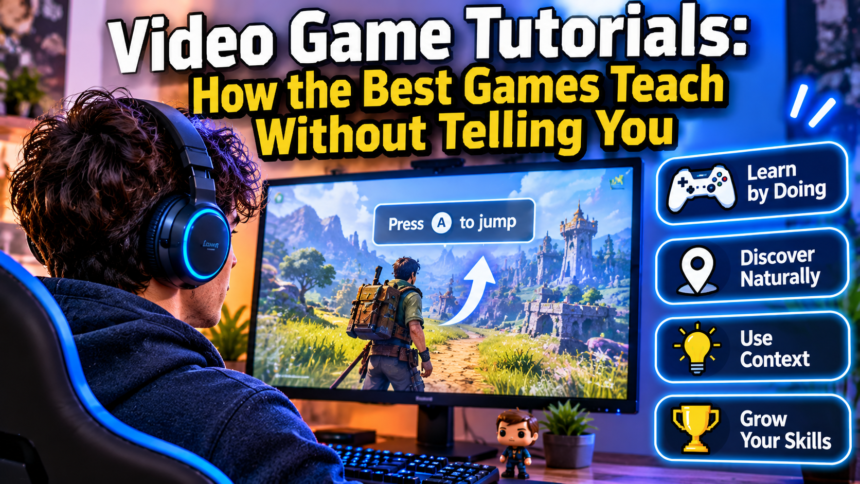

Video game tutorials work best when you never notice them. The strongest games teach through level design, feedback and small safe mistakes instead of walls of text. Here is how good tutorials work, why bad ones fail, and what the difference says about how people learn.
- What Makes a Video Game Tutorial Work?
- The Learning Science Behind Good Tutorials
- Classic Examples of Tutorials That Teach Without Words
- The Main Types of Video Game Tutorials
- Why Players Hate Bad Tutorials
- Tutorials, Accessibility and Respect for the Player
- Tutorial Design Lessons for Developers and Creators
- How Players Can Get More Out of Any Tutorial
- The Future of Teaching Players
- Frequently Asked Questions About Video Game Tutorials
- Conclusion: The Best Lesson Is the One You Think You Discovered
What Makes a Video Game Tutorial Work?
Every game has the same awkward problem on day one. The person holding the controller knows nothing, and the designer knows everything. A tutorial is the bridge between those two states, and building it well is harder than it looks.
The best bridges are almost invisible. You finish the first ten minutes of a great game feeling clever, as if you worked everything out yourself. That feeling is not an accident. It is the product of careful design.
Tutorial vs Onboarding
The two words are often used as if they meant the same thing, but they do not.
- Tutorial: the specific teaching of a skill or system, such as jumping, aiming, crafting or reading a map.
- Onboarding: the whole opening experience, including tone, world, goals and the reason to keep playing.
A game can have a clumsy tutorial and still onboard well, because the world is so inviting that players forgive the clumsiness. The reverse is rarer. A flawless tutorial rarely rescues a game that gives players no reason to care.
The Invisible Contract
When you start a game, you make a quiet agreement with it. You promise to pay attention. The game promises that your attention will be rewarded and that nothing important will be hidden unfairly.
A good tutorial honours that contract in the first few minutes. It shows you the rules, lets you test them, and proves that the world behaves consistently. Everything that follows depends on the trust built there.
Why Bad Tutorials Are So Common
It may seem strange that an industry this experienced still ships frustrating openings. There are practical reasons.
Tutorials are usually built late, after the real game exists. Teams know the systems so well that they cannot imagine not understanding them, a problem often called the curse of knowledge. And testing with true beginners is time-consuming, so it is often squeezed out of the schedule.
The result is a first hour that was written by experts for experts, then dressed up as an introduction.
The Learning Science Behind Good Tutorials
Good tutorial design is, in many ways, applied psychology. Designers did not need a textbook to discover these ideas, because players punished them for ignoring them. Still, the research language helps explain why certain approaches work.
Cognitive Load: Too Much, Too Soon
Human working memory is limited. When a game explains movement, combat, inventory, crafting and a branching story all in the first five minutes, most players retain very little of it.
Cognitive load theory describes this clearly. People learn better when new information arrives in small pieces, when each piece is practised before the next one appears, and when distractions are removed. This is why great openings usually teach one thing at a time.
Learning by Doing
Reading about a skill and using a skill are very different experiences. Games have a huge advantage here, because the medium itself is interactive.
A message that says “press this button to jump” is information. A gap in a platform that you can only cross by jumping is a lesson. The second version is remembered longer because you did something, and your body took part in the learning.
The Zone Between Boredom and Frustration
Learning psychology talks about a sweet spot where a task is just hard enough to require effort but not so hard that it causes despair. Game designers know a close cousin of this idea as flow.
A tutorial has to live in that zone. If the challenge is too easy, players feel patronised and skip ahead. If it is too hard, they feel stupid and quit. The best openings ramp up difficulty so smoothly that you never feel the slope.
Feedback That Teaches
Every action in a game should produce a clear result. A sound, a flash, a number, a change in the world. This feedback loop is how players test their guesses.
When feedback is weak, learning stalls. You press something, nothing seems to happen, and you cannot tell whether you made a mistake or the game is broken. Strong feedback turns experimentation into understanding.
Classic Examples of Tutorials That Teach Without Words
Some openings are studied by designers precisely because they teach so well. These examples are widely discussed, and they show different ways of solving the same problem.
Super Mario Bros.: World 1-1
The first level of the original game is the most famous teaching space in the medium. You begin at the left of the screen with nothing but room to move right.
Soon a small enemy walks toward you. You can jump on it, avoid it or run into it. Running into it is a safe, instructive failure. Nearby, blocks and a mushroom introduce the idea that the world holds rewards, and that interacting with objects can change you.
No instruction is written on screen, yet most players leave the level understanding the core rules. The lesson is that a carefully shaped environment can replace a manual.
Portal: Teaching Through Test Chambers
Portal introduces a bizarre mechanic, shooting linked holes in walls, and then teaches it through a sequence of simple rooms. Each chamber isolates a single idea, lets you practise it, and then combines it with the previous ideas.
The story frame helps too. Because you are a test subject, being guided through exercises feels natural instead of artificial. The tutorial and the fiction support each other.
Baba Is You: Rules as the Lesson
In this puzzle game, the rules of each level are written as blocks of text that you can physically push around. Changing the rules changes the world.
The opening levels are almost empty, so you can poke at the idea safely. By the time the puzzles become fiendish, you already understand the central trick, because you discovered it yourself. The game teaches its own logic by making you break it.
Breath of the Wild: The Great Plateau
The opening area of this open-world adventure works as a compact version of the whole game. It introduces climbing, cooking, weather, weapons that break, and the freedom to approach problems in several ways.
Crucially, it also lets you leave. The area is a classroom with the door left open, and the game trusts you to learn at your own pace. That trust is a lesson in itself about the kind of game you are playing.
Dark Souls: Trusting the Player to Fail
The opening of this action role-playing game uses short messages on the ground and a deliberately harsh first encounter to teach caution. It does not apologise for being difficult.
Whether you love or dislike that approach, it is a coherent tutorial philosophy. Death is the teacher, and the game expects you to listen. Its opening does not hide the rules of the world, it simply refuses to soften them.
The Main Types of Video Game Tutorials
There is no single correct style. Different games, audiences and genres call for different solutions, and many titles combine several.
| Tutorial type | How it works | Strength | Weakness |
|---|---|---|---|
| Forced intro | A scripted opening you must complete | Guarantees basic skills | Can feel slow or patronising |
| Environmental teaching | Level design shows the rules | Feels natural and rewarding | Hard to design and test |
| Contextual hints | Short prompts appear when relevant | Teaches at the moment of need | Can interrupt the action |
| Optional codex or manual | Reference material on demand | Respects experienced players | Many players never open it |
| Sandbox practice | A safe space to experiment | Encourages curiosity | Can be skipped by mistake |
| Gradual unlocking | New systems appear over time | Prevents overload | Can delay the fun parts |
The most effective games rarely rely on one method alone. They might use environmental teaching for movement, contextual hints for complex menus and an optional codex for detailed reference.
Why Players Hate Bad Tutorials
Almost everyone has a story about a tutorial that made them want to quit. These frustrations repeat across genres and decades, which suggests they are not matters of taste but real design failures.
The Problem With Hand-Holding
Hand-holding happens when a game explains something so slowly and so often that the player feels insulted. A prompt appears for every step, an arrow points at every object, and the game refuses to let you act until you press the exact button it names.
The damage goes beyond annoyance. It takes away the small thrill of discovery, which is one of the main pleasures of play.
Walls of Text
Paragraphs of instructions before the first moment of play almost never work. Players are eager to act, so they skim, skip and forget.
If an idea cannot be shown in a few words or a single interaction, that is often a sign the mechanic itself is too complicated or the tutorial needs to be spread out.
Unskippable and Unrepeatable
Nothing irritates returning players more than being forced through a tutorial they have already completed. The opposite problem is equally painful. A player returns after six months, forgets everything, and finds that the tutorial cannot be replayed.
Good design allows both. Experienced players can move on, and anyone can revisit the lessons later.
Teaching the Wrong Game
Sometimes a tutorial is easy and gentle, and the real game turns out to be brutal. Or the opening is thrilling and the real game is slow. This mismatch feels like a betrayal.
A tutorial is also a promise about the tone and difficulty of what follows. Breaking that promise damages trust faster than almost anything else.
Quick Warning Signs of a Weak Tutorial
- You are told something the game could have shown you.
- You cannot skip or pause the explanation.
- Instructions appear that you do not need yet.
- You are punished for mistakes before the rules were clear.
- You finish the opening still unsure what the actual goal is.
Tutorials, Accessibility and Respect for the Player
A tutorial is also an act of respect. It says something about who the designers think their players are.
Different Players, Different Needs
Not everyone arrives with the same experience. A lifelong strategy fan and a first-time player may open the same game on the same day. A single linear tutorial cannot serve both well.
Many modern games address this with adjustable guidance, optional hints and difficulty settings that include extra help. The goal is not to make the game easy, it is to let each person start from where they actually are.
Clear Language and Readable Design
Accessibility affects teaching directly. Text must be readable, colours must not be the only way to convey information, and controls should be remappable. If a tutorial relies on a prompt you cannot see or a sound you cannot hear, it is not teaching everyone.
These improvements usually help all players. Clearer prompts and better contrast make the lesson easier for beginners, veterans and people playing on small screens alike.
Respecting Returning Players
Players who return to a series after a long break need a different kind of help. They know the genre, but they have forgotten the details. A short refresher, a recap of controls or a quick practice area can restore confidence without repeating the full introduction.
Tutorial Design Lessons for Developers and Creators
These principles apply whether you are building a small indie game, writing a guide, or making a video walkthrough. The underlying logic is the same.
A Step-by-Step Approach
- Find the one thing. Decide the single action or idea the player must grasp first, and build the opening around it.
- Teach in context. Present each lesson at the moment the player needs it, not in a block at the start.
- Let players try before you explain. Create a safe situation where the correct action is the obvious one.
- Make failure cheap. A mistake during learning should cost seconds, not minutes.
- Combine ideas gradually. Introduce two skills separately, then ask the player to use them together.
- Give clear feedback. Sound, motion and visuals should confirm what just happened.
- Offer a way out. Let experienced players skip, and let everyone revisit the lessons later.
- Test with real beginners. Watch where they hesitate. Those hesitations show where the design is failing.
Show, Then Tell
A useful rule is to show the idea first and describe it second, if at all. When a player sees a locked door and a nearby key, the connection is obvious. A short prompt can then confirm it.
Text works best as a safety net, not as the main teacher.
Write for Scanning
When you do need words, keep them short and specific. Name the action and the button, and nothing else. A prompt that reads like a sentence from a manual will be ignored.
The same applies to guides and articles about games. Readers scan for the answer, so clear headings, short paragraphs and a direct opening help them as much as a clear on-screen prompt helps a player.
How Players Can Get More Out of Any Tutorial
Tutorials are not only a designer’s responsibility. Players can also approach them more actively and save themselves frustration later.
Practice Before You Progress
If a game offers a training area, use it. A few minutes of low-pressure practice is often more valuable than hours of trial and error during a difficult encounter.
Spend extra time on the actions you will use constantly, such as movement and the main attack or interaction. Fluency in the basics makes everything else easier.
Read Settings and Menus Early
Options menus often hide helpful features, such as aim assistance, difficulty modifiers and controller layouts. Checking them early can transform the experience.
It is also worth looking for a control reference or glossary. Knowing where to find it means you can look up a forgotten button without leaving the game for a long search.
Learn From Failure
When a game kills you or you lose a match, resist the urge to blame the controls immediately. Ask what the game was trying to show you. Many early defeats are quiet lessons about spacing, timing or resource use.
A Short Checklist for New Players
- Finish the opening before judging the whole game.
- Check the controls and accessibility options.
- Practise the core action until it feels natural.
- Take notes if the game is complex.
- Look for optional hints, but try first.
The Future of Teaching Players
The way games teach is still changing. Several trends are already visible, and each brings both promise and risk.
Adaptive Guidance
Some games watch how you play and adjust their help accordingly. If you repeatedly fail at a task, a hint appears. If you succeed easily, the game steps back.
When it works, this is the closest thing to a personal tutor. When it works poorly, it can feel intrusive or patronising, so designers need to be careful about how often and how loudly it speaks.
Learning From Players and Communities
Video guides, wikis and community forums now act as a second tutorial layer. Many players learn the deeper systems of a game from other players, not from the game itself.
This changes the designer’s job. A tutorial no longer has to teach everything, but it should teach enough that players know what to look for and where to ask.
Teaching Beyond Games
The ideas that work in games are spreading to apps, software and education. Interactive onboarding, small achievable goals and instant feedback are all game-inspired techniques. It is an irony worth noting that an industry often accused of distraction has become a leading example of how to teach.
Frequently Asked Questions About Video Game Tutorials
What is the purpose of a video game tutorial?
A tutorial teaches players the controls and rules they need to enjoy the game. A good one also builds confidence and shows what the game feels like, so players want to continue.
What is the difference between a tutorial and onboarding?
A tutorial teaches specific skills and systems. Onboarding is the wider experience of being introduced to a game, including its world, tone and goals. A strong opening needs both.
Should every game have a tutorial?
Nearly every game needs some form of teaching, but it does not have to be a separate mode. Environmental design, short hints and carefully ordered challenges can all do the job without interrupting play.
Are games without tutorials better?
Not automatically. Some games succeed by trusting players to discover things, but others simply leave beginners lost. What matters is whether the player has fair opportunities to learn the rules.
How long should a tutorial be?
There is no fixed length, but shorter is usually better, and learning should be spread across the early game instead of packed into one block. If players can reach real gameplay quickly, they are more likely to stay.
Why do I skip tutorials, and is that a problem?
Many experienced players skip them out of impatience. It is not a problem if the game is simple, but it can cause confusion in complex titles. If you skip, keep the controls reference handy.
How can I get better at learning new games?
Stay curious, experiment in safe spaces, check the settings early and treat early failures as information. Watching a short guide for a complicated system can also save hours.
Conclusion: The Best Lesson Is the One You Think You Discovered
Video game tutorials are really about trust. The designer trusts the player to pay attention, and the player trusts the game to be fair. When both promises hold, learning feels like play instead of work.
The practical takeaway: teach one idea at a time, let people practise safely, give clear feedback and always leave a door open for both beginners and veterans. The best tutorial is the one players remember as their own discovery.